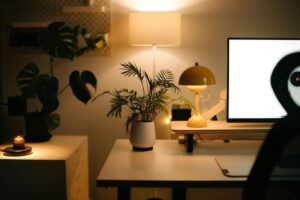
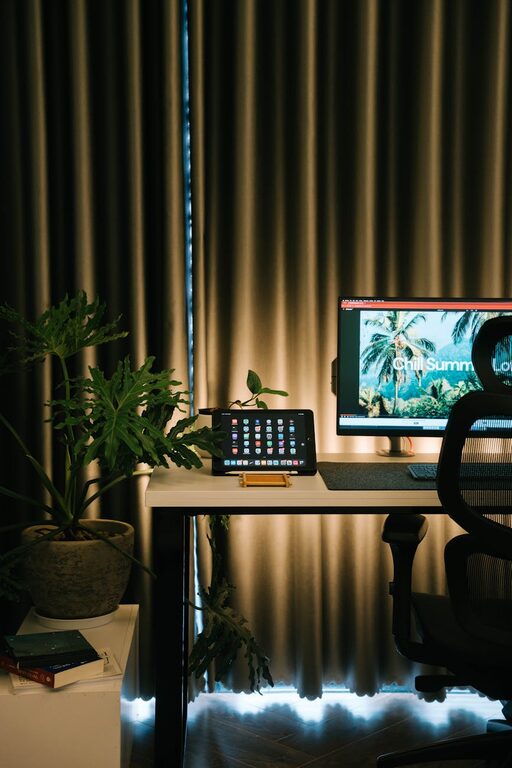
Creating a cozy and productive home office environment is essential for anyone working remotely or managing tasks from home. A well-designed workspace can improve focus, reduce stress, and make your workday more enjoyable. Whether you have a dedicated room or a small corner, these tips will help you set up an office that blends comfort with efficiency.
Choose the Right Location
Finding the ideal spot in your home is the first step. Select a space with enough natural light, as it helps reduce eye strain and keeps you energized. A quiet area away from high-traffic zones is also important to minimize distractions. If space is limited, even a nook or part of a room can be transformed into an office with thoughtful planning.
Factors to Consider:
– Access to natural light
– Noise levels
– Proximity to power outlets
– Ventilation and temperature control
Invest in Comfortable and Ergonomic Furniture
Your chair and desk are the foundation of a productive setup. An ergonomic chair supports your posture and prevents discomfort during long hours of work. Choose a desk at the right height to avoid strain on your wrists and shoulders. Adjustable desks that convert between sitting and standing positions can add flexibility and health benefits.
Tips for choosing furniture:
– Look for adjustable chairs with lumbar support
– Ensure desk height allows elbows to rest at 90 degrees
– Consider desks with enough space for monitors, keyboard, and other essentials
– Use a footrest if feet don’t touch the ground comfortably
Organize Your Space to Reduce Clutter
Clutter can cause distractions and increase stress, so organizing your workspace is key. Use shelves, drawers, and desk organizers to store supplies and documents neatly. Implement a filing system for important papers, whether digital or physical. Keep only frequently used items within arm’s reach to maintain a clean and efficient work zone.
Organization hacks:
– Use cable management tools to keep wires tidy
– Label storage boxes and drawers for easy access
– Declutter regularly to avoid accumulation of unnecessary items
– Use vertical storage to maximize small spaces
Incorporate Personal Touches
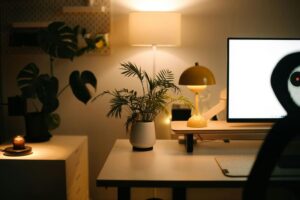
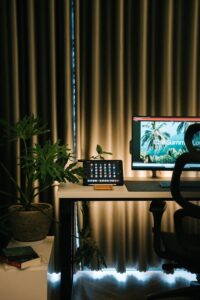
Adding cozy elements and personal decor can make your office inviting and encourage creativity. Plants bring life and improve air quality, while soft lighting and artwork create a calming atmosphere. Use colors that inspire you—soft blues and greens promote calmness, while bright accents can energize your space.
Ideas for personalization:
– Place a small plant or succulent on your desk
– Add a cozy throw blanket or a comfortable cushion
– Hang a calendar, motivational quotes, or family photos
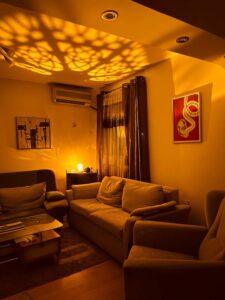
– Choose warm, adjustable lighting instead of harsh fluorescents
Establish Clear Boundaries
When working from home, it’s important to separate work life from personal life as much as possible. Set specific work hours and communicate these boundaries with family members or roommates. Designate your home office strictly for work to build a mental association with productivity.
Helpful boundaries include:
– Creating a “start-work” ritual to switch into work mode
– Avoiding work-related tasks outside your scheduled hours
– Using noise-canceling headphones to maintain focus
– Putting away work materials at the end of the day
Pay Attention to Technology and Ergonomics
Ensure your technology setup supports your work tasks efficiently. A reliable internet connection, quality monitor, keyboard, and mouse can reduce frustration and increase productivity. Position screens at eye level to prevent neck strain.
Technology tips:
– Use a monitor stand or adjustable arm for optimal screen height
– Invest in a good-quality headset or speaker for virtual meetings
– Keep charging stations organized to avoid cables cluttering your desk
– Back up your data regularly to avoid loss
Create a Routine That Supports Your Productivity
A cozy environment is important, but habits also play a big role in productivity. Set daily goals, schedule breaks, and create a routine that fits your work style. Taking regular breaks to stretch or walk can prevent fatigue and promote mental clarity.
Productivity-enhancing habits:
– Use a timer or time management methods like the Pomodoro Technique
– Take short breaks every hour to avoid burnout
– Plan your most important tasks for when you feel most alert
– Keep hydrated and snack healthily to maintain energy levels
Maintain Good Lighting and Air Quality
Proper lighting helps reduce eye strain and keeps your workspace inviting. Whenever possible, use natural light. Supplement with adjustable desk lamps that provide soft but sufficient light. Fresh air and good ventilation improve concentration and comfort.
Lighting and air quality tips:
– Position your desk near a window without glare on screens
– Use light filters or curtains to control brightness
– Open windows regularly or use an air purifier
– Avoid working in dim or overly bright artificial light
—
By carefully designing your home office environment with these tips, you can enjoy a space that feels warm and welcoming while supporting your productivity. Remember, the best workspace is one that fits your needs and makes working from home more comfortable and effective.